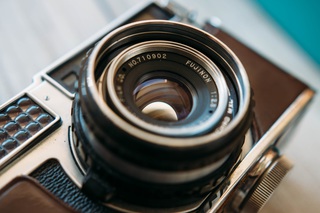

Process product photos on e-commerce sites to have competetive website performance, and ensure that high quality images are fast for mobile users too. Fast images increase conversions and improve SEO.
Clean and compress user-uploaded images. ImageOptim API removes private metadata and converts images to formats and sizes optimized for the web. You'll get fast-loading images that meet your requirements without burdening your users with technicalities or file size limits.
Quickly add responsive images to web applications and CMSes. ImageOptim API can generate images specifically tuned for high-DPI screens and “compressive” images. Easily create image variants for srcset and <picture> markup.
Fast-loading images
ImageOptim API uses custom, modern encoders and adjusts compression parameters for each image.
If you've used off-the-shelf tools and haven't optimized images before, switching to ImageOptim will make your images load twice as fast.
 | 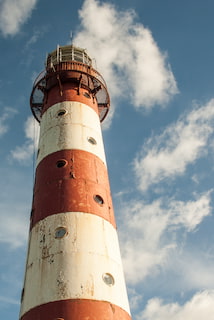 |
| Most resizing tools favor speed over quality | ImageOptim uses precise algorithms to avoid color shifts |
|---|
Color profile and gamma support
ImageOptim API applies ICC color profiles and resizes in gamma-corrected
When necessary, ImageOptim API embeds a custom, very small ICC color profile in photo files for accurate color reprduction on wide-gamut displays.
Optimized for high-DPI displays
Images for “Retina” displays need 4 times as many pixels as regular displays — usually quadrupling file sizes as well! ImageOptim has an option to apply heavy compression tuned especially for high-density displays to keep these file sizes down.
 |  |
| 58KB | 29KB (2× smaller) |
|---|---|
convert | ImageOptim with |
Privacy and control
ImageOptim removes hidden metadata from images, such as GPS position and camera serial numbers. This is especially important if you publish photos uploaded by users, who could accidentally share more than they wanted.
Images optimized by the API can be stored and served straght from your own servers, so you can be certain where your images are stored and prevent 3rd parties from tracking your users.
Security
If you resize images on your servers, you're exposed to the risk of vulnerabilities in image processing tools and libraries, which could be exploited with maliciously-crafted images to gain unauthorized access to your servers, your network and your data. By using the ImageOptim API you isolate your servers from these risks. We take the burden of security, so you don't have to.
Full compatibility (without a catch)
ImageOptim generates well-compressed files that are backwards-compatible with JPEG and PNG standards, so the images just work in all browsers — no hacks are needed. These images don't require browser-sniffing and can be cached by CDNs and proxies.
Advanced, high-quality compression
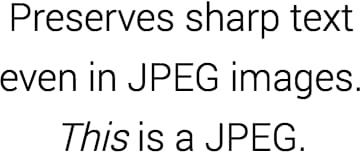
ImageOptim's JPEG encoder significantly reduces gray halos around black and white text, and keeps edges of very saturated colors sharp.
Where possible, PNG images are converted to the efficient PNG8 format that is up to 4 times smaller. More…
Progressive rendering
Only 15% of a file needs to be downloaded to render the image on the page, giving impression of much quicker loading.
Responsive
With the API you can easily automate generation of multiple variants of images for optimal fit on phones, tablets and large screen devices.
Expert support
You get personal support from me — the developer of ImageOptim. If you have a problem, ask me, and I'll be able to pull all technical tricks for you. I enjoy making websites and apps faster.